Case study 06 of 06
Patient Mentor Programs
Peer mentor programs connect patients with people who have lived with the same condition. These emails run the logistics: confirmations, reminders, missed calls, event invitations, surveys and safety reporting.

- Client
- Boehringer Ingelheim, Catalyst, Takeda, Sanofi and Regeneron
- Industry
- Pharmaceutical / Healthcare
- Discipline
- Program email development
- Scope
- Four brands, sixteen emails
- Related role
- Lead Email Developer, Snow Companies
Overview
Each program has two audiences: the patient or caregiver who registered, and the mentor or ambassador who speaks with them. Many messages exist in both versions, with different instructions for each side of the same call.
The work spans four brands with their own identities and compliance requirements: OFEV Mentor Connections, the LEMS Connection and FIRDAPSE events, ALUNBRIG's Ask. Learn. Know. series and DUPIXENT. They share one requirement: every message has to be accurate, on brand and approved before it sends.
Technical scope
Two-sided messaging
Registrant and mentor versions of confirmations and follow-ups share modules but carry different instructions. Mentors are asked to play the safety information and to report adverse events.
One template, many ambassadors
The FIRDAPSE event invitation exists in seven versions. Video, personal note and signature change per ambassador while the event panel and full safety information stay identical.
Data-driven fields
Program dates, times, time zones and contact names are pulled from registration records with Salesforce merge-field syntax, such as {!Patient_Registration__c.Contact_First_Name__c}.
Brand and compliance
Each brand keeps its own logo lockups, colors and footers, with job codes, sponsor attribution and opt-out language specific to the program.
Across four programs
Grouped by brand. Select any email to read it at full length, safety information included.
OFEV: registrant confirmation
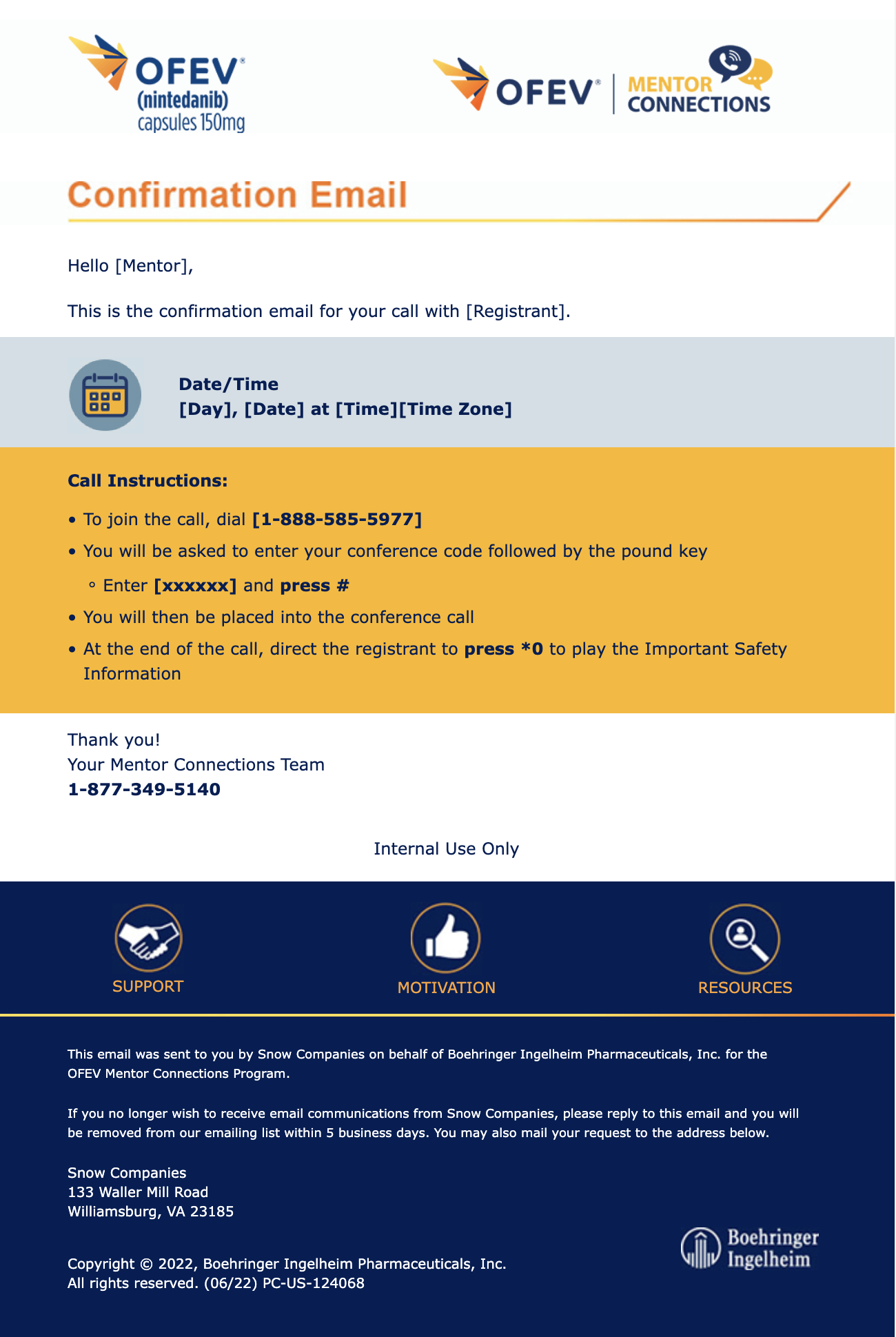
Confirms a registrant's call with a mentor: date, time and time zone fields, then dial-in steps in the amber instructions panel.
OFEV: mentor confirmation
The mentor's side of the same call, with an extra step: playing the Important Safety Information at the end.
OFEV: call reminder
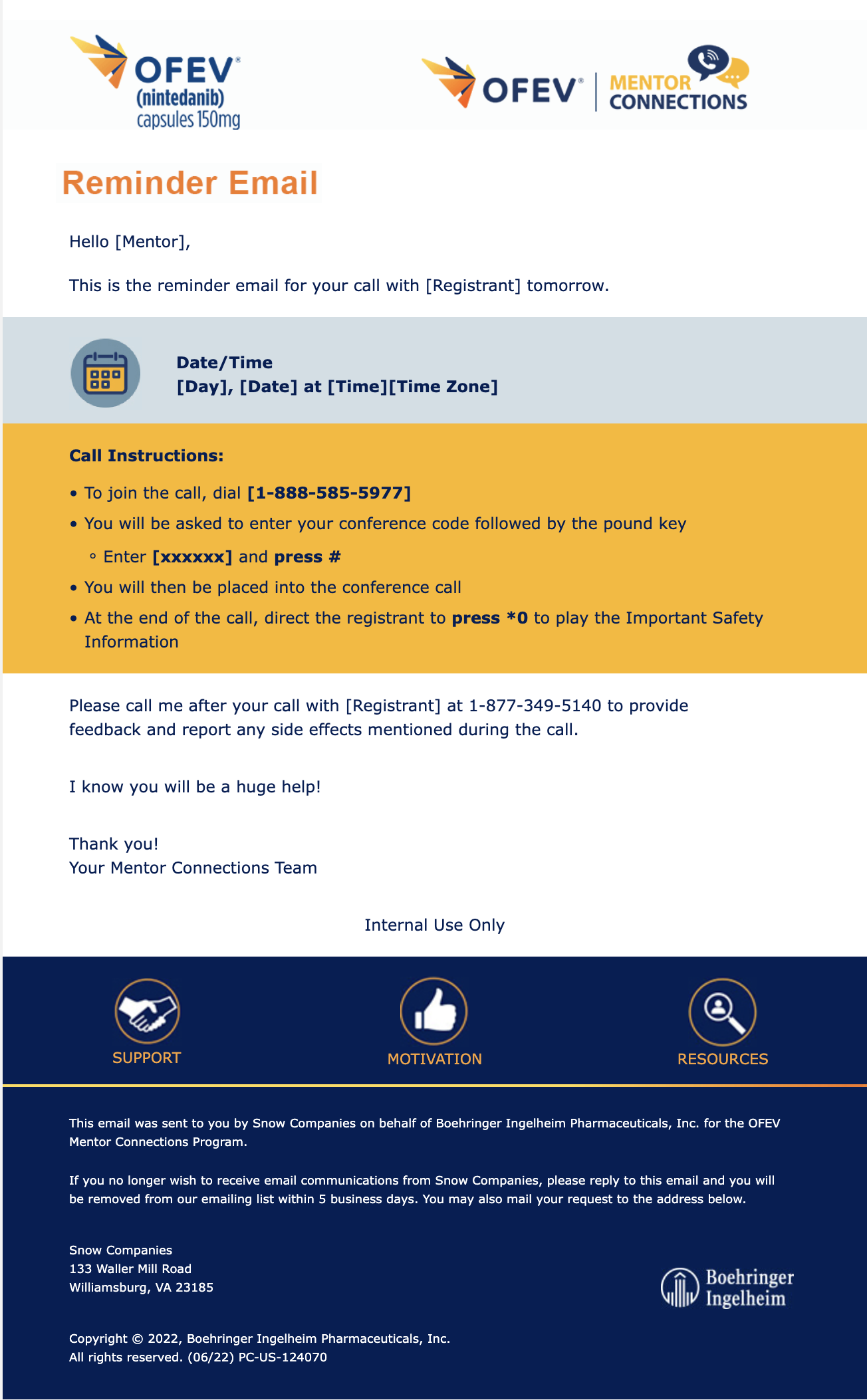
Reminder before the call, reusing the date block and instructions panel.
OFEV: missed call
Rescheduling path when a registrant misses the call.
OFEV: registrant follow-up
Post-call thank-you with a survey link.
OFEV: mentor follow-up
Asks the mentor to complete a survey and report any adverse events raised on the call.
LEMS Connection: program invitation
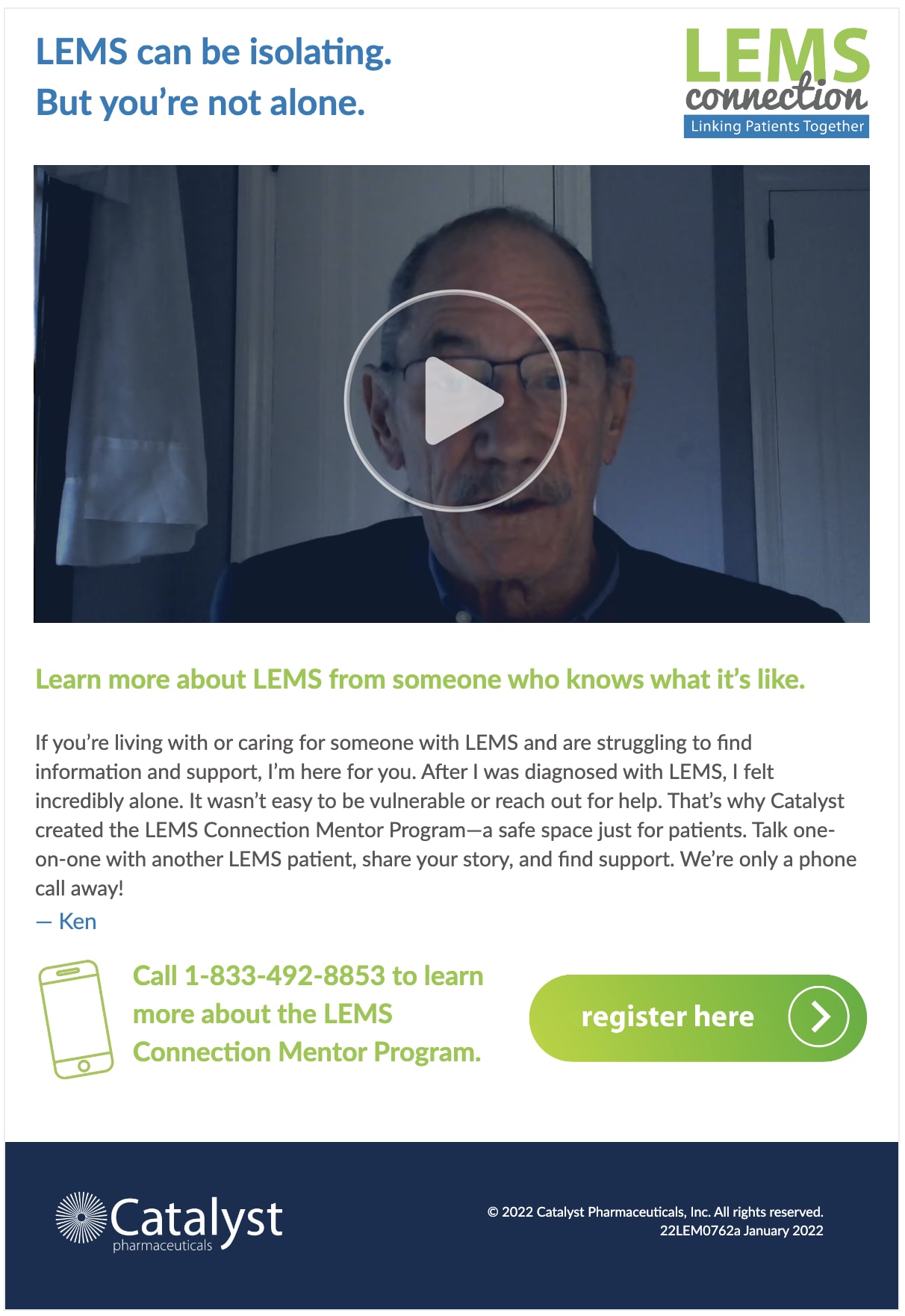
Invitation to the LEMS Connection mentor program, led by a video and a first-person story.
FIRDAPSE: event invitation, version A
Ambassador-led event invitation. The video, note and signature change per ambassador; the event panel and safety information do not.
FIRDAPSE: event invitation, version B
FIRDAPSE: event invitation, version C
FIRDAPSE: event invitation, version D
FIRDAPSE: event invitation, version E
FIRDAPSE: event invitation, version F
FIRDAPSE: event invitation, version G
ALUNBRIG: webinar registration
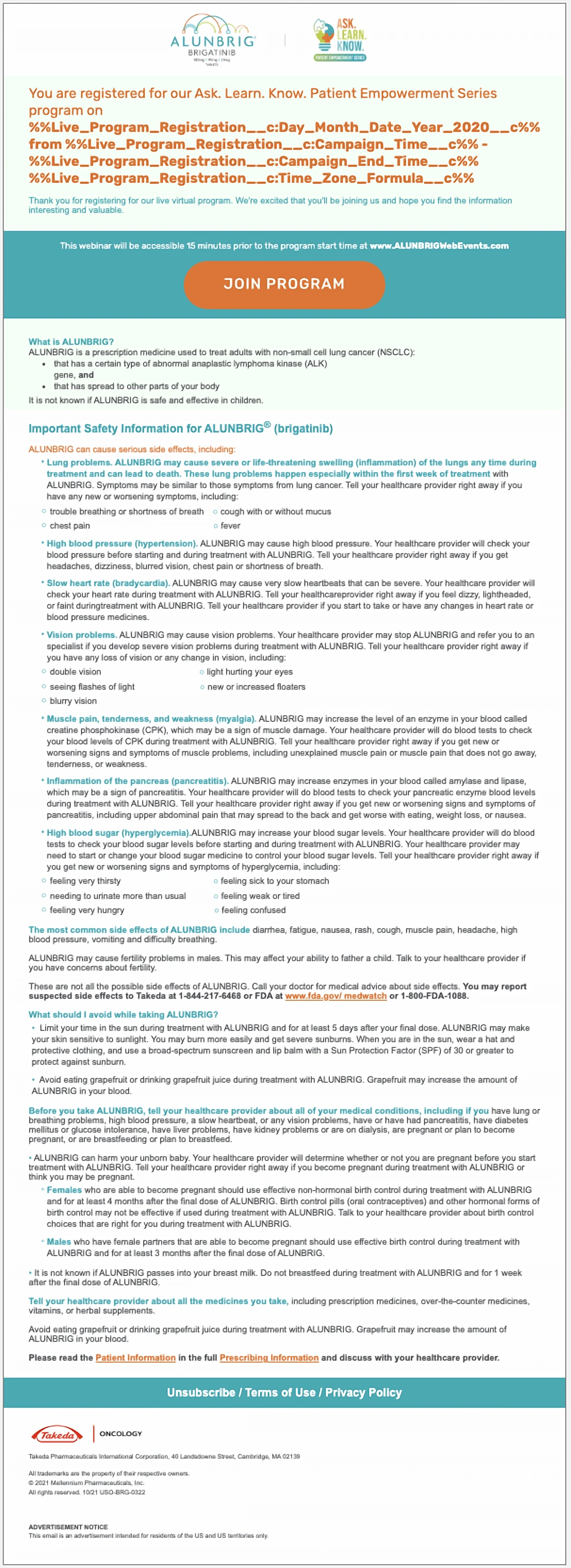
Registration confirmation for a live virtual program. Date, start, end and time zone all come from the registration record.
DUPIXENT: prescribing information
A short service email delivering Prescribing Information and Patient Information links, personalized with Salesforce merge fields.
Instructions for the other side of the call
OFEV: mentor confirmation, shown complete. Scroll alongside the notes, or open it in the viewer to zoom.
- 01
Program lockup
The product logo beside the Mentor Connections program mark, so recipients know which program is writing.
- 02
Date block
Day, date, time and time zone in a tinted band with a calendar icon, the one detail a mentor must not miss.
- 03
Call instructions
A nested list for dial-in, code entry and the mentor-only step of playing the Important Safety Information at the end of the call.
- 04
Program footer
Support, motivation and resources icons, sponsor attribution, opt-out instructions, mailing address and job code.
OFEV: mentor confirmation
Up close
Seven versions, one build
Each ambassador gets an invitation in their own voice and video. The shared layout means one QA pass covers the structure, and only the variable content changes between sends.
Excerpt. Select it to zoom; the complete email is shown above.
A panel that does one job
The amber instructions panel is the most important part of the message, so it gets the strongest color and the clearest list structure.
Excerpt. Select it to zoom; the complete email is shown above.
Every time from the record
Program day, date, start, end and time zone are separate fields on the registration record, so one template serves every session in the series.
Excerpt. Select it to zoom; the complete email is shown above.
Short, personal, compliant
A three-line service email: a personalized greeting, the two required document links and a sign-off from the program specialist.
Excerpt. Select it to zoom; the complete email is shown above.
Technical considerations
Regulated content
Safety information, job codes and sponsor language are carried exactly as approved, in every version of every message.
Variant management
Shared modules keep dozens of near-identical emails consistent, and make it obvious when something differs that shouldn't.
Cross-client QA
Nested instruction lists, icon rows and long safety sections are tested across clients before each program goes live.
Technologies and capabilities
- Responsive HTML/CSS email
- Salesforce merge fields
- Templated variants
- Modular templates
- Safety information handling
- Cross-client QA




Let’s build something exceptional.
Looking for someone who understands both the technology and the marketing behind great digital experiences? Let’s connect.